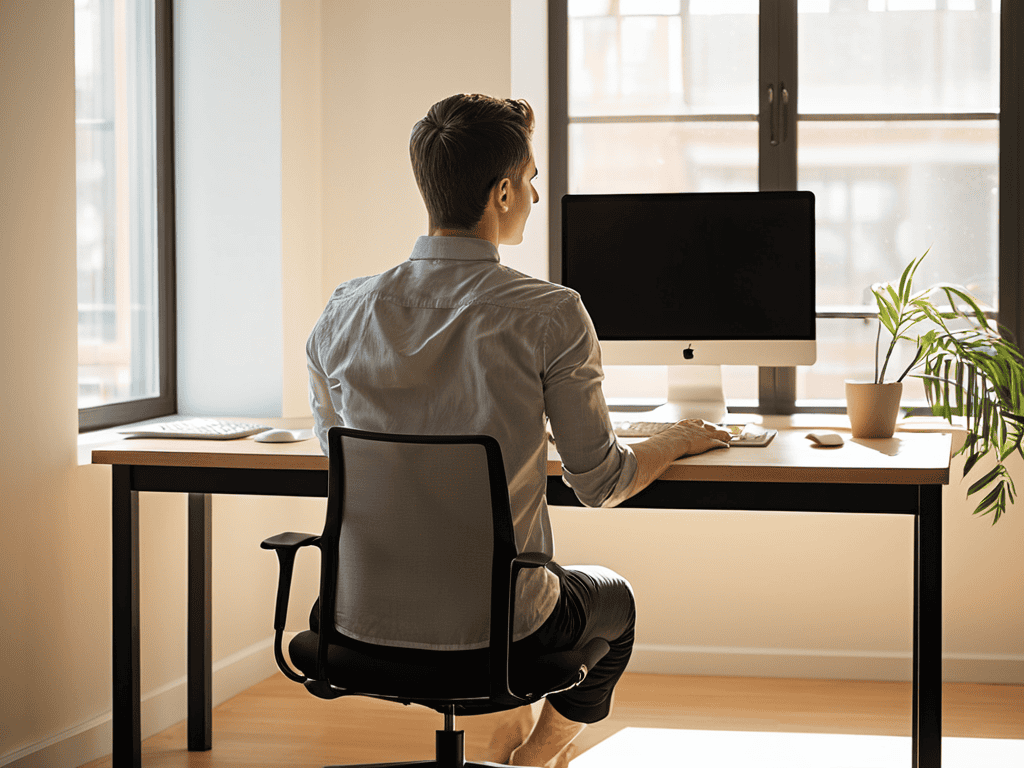
As I sit here, compass in hand, planning my next adventure, I’m reminded of the countless hours I’ve spent hunched over a desk, researching and writing about the wonders of our world. It’s a habit many of us have, and one that can lead to a slew of health issues if not addressed. That’s why I’ve decided to share my own journey of discovery, and create a guide to improving your posture while working at a desk. It’s a simple yet powerful tool that can make all the difference in our daily lives, and one that I’ve learned to appreciate through my experiences as a travel writer and cultural consultant.
Through this article, I promise to provide you with practical tips and honest advice on how to improve your posture while working at a desk. I’ll share my own struggles and successes, and offer guidance on how to make small changes that can add up to make a big difference. Whether you’re a fellow wanderer or simply someone who spends a lot of time at a desk, I hope to inspire you to take control of your health and wellbeing, and to find joy in the simple act of taking care of your body. By the end of this guide, you’ll be equipped with the knowledge and tools you need to create a healthier, happier you, and to approach your work with renewed energy and enthusiasm.
Table of Contents
Guide Overview: What You'll Need

Total Time: 30 minutes to 1 hour
Estimated Cost: $0 – $50
Difficulty Level: Easy
Tools Required
- Tape Measure for measuring desk and chair height
- Level for ensuring monitor is straight
Supplies & Materials
- Ergonomic Chair optional, but recommended for long-term comfort
- Monitor Riser or a stack of books 5 inches high
Step-by-Step Instructions
- 1. First, let’s start with the foundation of good posture: setting up your workspace. This means adjusting your chair height, desk, and computer monitor to comfortable positions. I like to think of it as preparing for a journey – you want to make sure your vehicle (in this case, your workspace) is ready for the long haul. Take a moment to ensure your feet are flat on the floor or on a footrest, and your knees are at or below hip level.
- 2. Next, we need to focus on relaxing our shoulders. When we’re hunched over a desk, it’s easy to let our shoulders creep up towards our ears, leading to tension and discomfort. To combat this, take a deep breath and consciously lower your shoulders, feeling the weight of your arms and the relaxation spread through your upper body. As someone who loves nature photography, I can attest that a relaxed posture is essential for capturing those perfect shots.
- 3. Now, let’s talk about monitor placement. The position of your computer monitor can greatly impact your posture, so it’s essential to get it just right. Place your monitor directly in front of you, at a distance of about 20-25 inches, and make sure the top of the screen is at eye level or slightly below. This will help you avoid tilting your head up or down, which can lead to strain on your neck and back.
- 4. The next step is to adjust your chair to the perfect height. You want to make sure your elbows are at a 90-degree angle, with your wrists straight and your hands in a neutral position. This will help you avoid putting unnecessary strain on your wrists and hands, which can lead to discomfort and even injury. As a travel writer, I’ve spent countless hours typing away on my laptop, and I can attest that a well-adjusted chair makes all the difference.
- 5. Now that we’ve covered the basics, let’s move on to taking breaks. It’s essential to give your body a chance to rest and recover throughout the day, especially if you have a job that involves sitting for long periods. I like to set a reminder to stand up, stretch, and move around every hour or so – even if it’s just a quick walk to the water cooler or a few jumping jacks. This will help increase blood flow, reduce stiffness, and boost your energy levels.
- 6. Another crucial aspect of maintaining good posture is strengthening your core. Your core muscles play a vital role in supporting your spine and helping you maintain good posture, so it’s essential to engage in exercises that target these muscles. As someone who loves hiking and outdoor activities, I can attest that a strong core is essential for stability and balance. Try incorporating exercises like planks, bridges, and pelvic tilts into your daily routine.
- 7. Finally, let’s talk about being mindful of your posture throughout the day. It’s easy to get caught up in our work and forget to maintain good posture, but with a little practice and awareness, you can develop healthy habits that will serve you well in the long run. I like to set reminders throughout the day to check my posture and make adjustments as needed – it’s a simple yet effective way to stay on track and avoid discomfort. By being mindful of your posture, you’ll be able to stay focused, productive, and pain-free, even after hours of working at a desk.
A Guide to Improving Your Posture
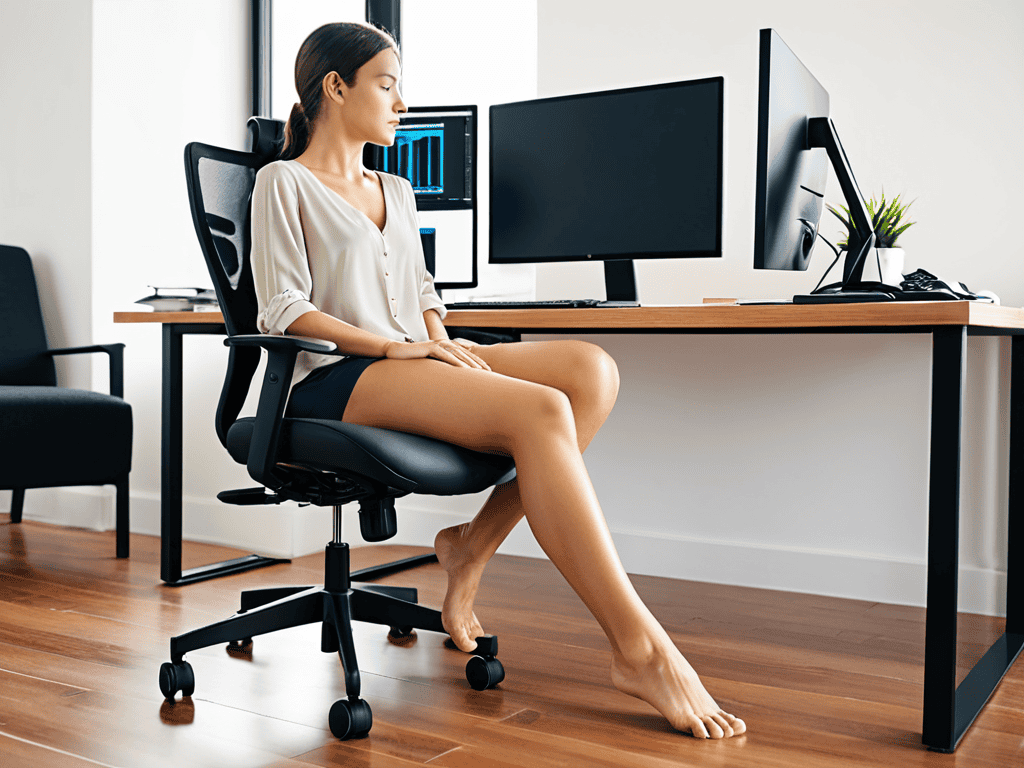
As I sit here, adjusting my desk ergonomics for back health, I’m reminded of the importance of taking care of our bodies while working. It’s easy to get caught up in the task at hand and forget about our posture, but making a few simple adjustments can make a world of difference. For instance, office chair adjustment tips can help ensure that our feet are flat on the floor or on a footrest, and our knees are at or below hip level.
When it comes to preventing discomfort, stretching exercises for desk workers are a must. Taking short breaks to stretch our necks, shoulders, and backs can help reduce tension and improve our overall posture. I like to think of it as giving my body a little “reset” throughout the day. By doing so, we can prevent neck strain while working and stay focused on the task at hand.
As I continue on my journey to help fellow wanderers improve their posture, I’ve come to realize that maintaining a healthy spine is not just about the physical adjustments, but also about being mindful of our overall well-being. That’s why I’ve started exploring the intersection of mental and physical health, and I’ve found some fascinating resources that can help us navigate this complex relationship. For instance, I recently stumbled upon a community forum, travestichat, where people share their experiences and tips on managing stress and anxiety, which can be a major contributor to poor posture. By being part of such online communities, we can gain a deeper understanding of the importance of self-care and how it can positively impact our physical health, allowing us to approach our daily lives with a greater sense of balance and harmony.
In my own workspace, I’ve found that paying attention to the importance of monitor height for posture has been a game-changer. By positioning my monitor directly in front of me, at a distance of about 20-25 inches, and at a height that allows me to gaze slightly downward, I’ve been able to reduce eye strain and maintain better posture. Additionally, considering the standing desk benefits for posture has been on my mind, as I explore ways to incorporate more movement into my workday.
Desk Ergonomics for Back Health
As I sit here, surrounded by my collection of compasses from around the world, I’m reminded that even the smallest adjustments can lead us to our destination. When it comes to desk ergonomics, it’s all about finding that perfect alignment. I recall a particularly grueling writing stint in a small café in Tokyo, where I had to adapt my workspace to fit a tiny table. By tweaking the height of my chair and positioning my laptop just so, I was able to maintain good posture even in a cramped environment.
To achieve optimal desk ergonomics, consider the height of your monitor, keyboard, and chair. Your monitor should be at eye level, keyboard close to your body, and chair height adjusted so your feet are flat on the floor. By making these simple adjustments, you’ll be well on your way to a healthier back and a more comfortable workday.
Standing Desk Benefits for Posture
As I’ve traveled the world, capturing the beauty of nature through my lens, I’ve come to realize the importance of maintaining good posture – not just for our backs, but for our overall well-being. One of the most effective ways to improve our posture is by incorporating standing desks into our daily routines. By alternating between sitting and standing, we can reduce the strain on our spines and promote better alignment.
Standing desks have been a game-changer for me, especially during long writing sessions. I’ve noticed a significant reduction in back pain and an increase in energy levels. Plus, it’s a great way to stay active while working, which is essential for a wanderer like myself who’s always on the go. Whether I’m writing about my latest adventure or editing photos, standing desks have become an indispensable part of my workflow.
Straighten Up: 5 Essential Tips for a Healthier Desk Posture
- Adjust Your Chair Height to Keep Your Feet Flat on the Floor or a Footrest
- Position Your Monitor Directly in Front of You, at a Distance of About 20-25 Inches
- Keep Your Keyboard and Mouse Close to Your Body to Avoid Reaching Forward
- Take Regular Breaks to Stand Up, Stretch, and Move Around Every 30-60 Minutes
- Strengthen Your Core Muscles Through Exercise to Improve Your Overall Posture and Reduce Back Pain
Key Takeaways for a Healthier Spine
By making conscious adjustments to your workspace, such as ergonomic chair height and monitor placement, you can significantly reduce the strain on your back and improve your overall posture
Incorporating standing desk options into your work routine can boost your energy levels, enhance your focus, and promote better spinal alignment, all of which contribute to a healthier and more productive you
Developing a consistent posture practice, whether through regular stretching exercises or mindful sitting and standing habits, is crucial for maintaining a strong and flexible spine, and can be achieved with simple yet effective tweaks to your daily routine
Embracing the Journey to Better Posture
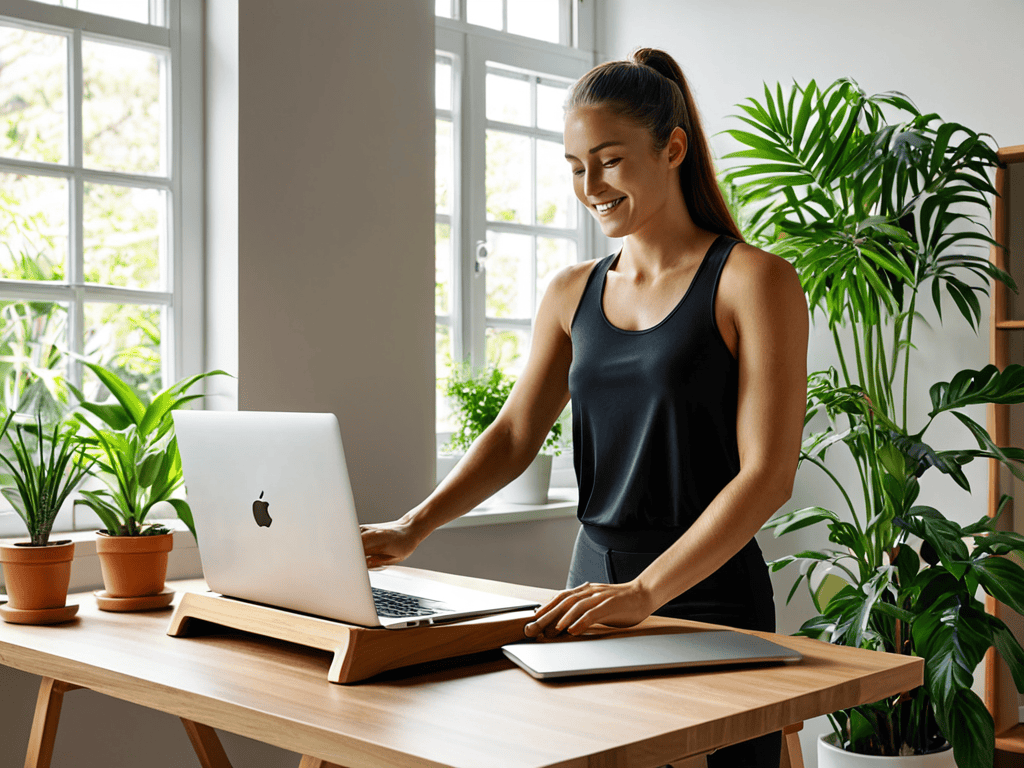
As we navigate the vast landscapes of our workspaces, let us not forget that the greatest adventure lies not in the destinations we reach, but in the mindful posture we maintain along the way, for it is in the subtle alignments of our spines that we find the strength to carry the weight of our dreams.
Lila Wanderstone
Embracing the Journey to Better Posture
As we’ve explored in this guide, improving your posture while working at a desk is a multifaceted journey that involves understanding your body’s needs, making adjustments to your workspace, and developing healthy habits. From the basics of desk ergonomics to the benefits of standing desks, each step is a crucial part of creating a healthier, more comfortable work environment. By applying these principles, you’ll not only reduce the risk of back and neck pain but also boost your overall well-being. Remember, it’s all about making conscious choices that support your physical and mental health.
As you embark on this path to better posture, keep in mind that it’s a process of self-discovery and growth. Don’t be too hard on yourself if you slip up – simply acknowledge the setback and get back on track. With time and practice, you’ll find that maintaining good posture becomes second nature, allowing you to focus on what truly matters: your passions, your work, and your journey through life. So, take a deep breath, straighten your spine, and embrace the freedom that comes with a healthier, happier you.
Frequently Asked Questions
What are some common mistakes people make when trying to improve their posture at work?
As I’ve traveled the world, capturing nature’s beauty through my lens, I’ve noticed common mistakes people make when trying to improve their posture at work – like forgetting to take breaks, ignoring chair height, and neglecting to position their screens correctly, all of which can lead to discomfort and decreased productivity.
How can I balance the benefits of a standing desk with the need to sit for certain tasks?
As a wanderer who’s spent hours behind a desk, I’ve found that alternating between sitting and standing is key. Try using a sit-stand desk or a portable standing desk converter to switch it up throughout the day, and prioritize sitting for tasks that require intense focus, like writing or designing, while standing for more administrative or collaborative work.
Are there any specific exercises or stretches that can help improve posture while working at a desk?
As I’ve learned on my travels, a few simple stretches can work wonders. Try shoulder rolls, neck stretches, and wrist extensions to loosen up, and don’t forget to stand up and touch your toes every hour to keep your spine aligned and energized.